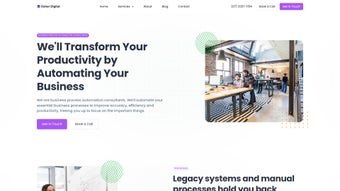

Download Osher – AI‑Powered Business Chatbot, Secure & Scalable
Overview of Osher
Osher is a subscription‑based AI chatbot built specifically for businesses that want to boost customer engagement while keeping data privacy at the forefront. Launched on April 5 2023, Osher combines enterprise‑grade encryption, customizable welcome messages, and support for a wide range of document formats (PDF, DOCX, TXT, and more). The platform is designed to scale from small startups to large enterprises, offering seamless integration with popular collaboration tools such as Slack and Microsoft Teams, as well as embeddable widgets for multiple websites.
While Osher does not offer a free tier, its robust feature set—including multi‑website support, a secure chat widget, and an upcoming multi‑user account system—makes it a compelling choice for businesses that prioritize secure, AI‑driven customer interactions. The tool’s roadmap promises channel‑based customer interactions and expanded user management, which will further differentiate Osher in a crowded chatbot market. Although the pricing may be higher than some competitors and the document upload capacity is limited, the combination of state‑of‑the‑art encryption, easy integration, and AI‑powered conversation flow delivers a high‑value solution for organizations seeking to modernize their support and sales channels.
Beyond its core messaging capabilities, Osher incorporates a proprietary natural‑language understanding engine that continuously learns from each interaction. This means the chatbot can automatically improve answer accuracy, reduce fallback rates, and adapt to evolving product terminology without requiring manual re‑training. For industries with strict compliance requirements—such as finance, healthcare, and legal services—Osher provides audit logs, role‑based access controls, and the ability to host data within regional data centers to meet residency mandates. Pricing tiers are structured around concurrent user limits and feature bundles, allowing businesses to select a plan that aligns with their budget and growth trajectory. The combination of secure architecture, AI sophistication, and flexible deployment options positions Osher as a future‑proof investment for any organization looking to enhance digital customer experiences.
Key Features That Set Osher Apart
- Enterprise‑Level Encryption: All chat data is encrypted in transit and at rest, meeting GDPR and CCPA compliance standards.
- Customizable Welcome Messages: Tailor greetings per website, product line, or support channel to create a personalized first impression.
- Multi‑Document Support: Users can upload PDFs, DOCX, TXT, and image files, allowing the AI to reference product manuals, FAQs, and policy documents during conversations.
- Integration with Slack & Teams: Seamlessly route chatbot interactions to internal channels for quick agent escalation.
- Embeddable Chat Widget: Simple JavaScript snippet lets you embed a responsive chatbot on any website without developer overhead.
- Scalable Architecture: Cloud‑native infrastructure automatically scales to handle spikes in traffic, making Osher suitable for both SMBs and large enterprises.
- Upcoming Multi‑User Accounts: Future updates will allow multiple team members to manage bot settings, permissions, and analytics from a single dashboard.
- Channel‑Based Customer Interaction: Planned feature to let businesses segment conversations by email, live chat, social media, or phone.
- Advanced Analytics Dashboard: Real‑time insights into conversation volume, resolution rates, and sentiment analysis help managers optimize support workflows.
- AI‑Driven Knowledge Base Generation: The system can automatically create FAQ entries from recurring chat topics, reducing manual documentation effort.
Each of these capabilities is engineered to reduce friction between customers and support teams. For example, the document‑upload feature enables the AI to pull precise answers from a product manual, cutting down on repetitive queries and freeing agents to focus on complex issues. Integration with collaboration platforms ensures that escalation paths are clear, while the embeddable widget removes the need for a separate support portal.
The analytics dashboard not only tracks key performance indicators but also surfaces hidden trends, such as emerging product complaints, allowing proactive product improvements. Additionally, the AI‑driven knowledge base feature continuously curates the most relevant help articles, keeping your support content fresh without extra effort. The roadmap for multi‑user and channel‑specific interactions signals Osher’s commitment to evolving alongside the needs of growing businesses, making it a future‑proof investment that scales alongside your organization.
Installation, Usage & Compatibility
Step‑by‑Step Installation
Getting Osher up and running is straightforward, even for teams without deep technical expertise. After purchasing a subscription, you receive a secure download link for the Osher installer package (available for Windows 10+, macOS 12+, and Linux distributions). Follow these steps:
- Download the Installer: Click the link in the welcome email; the file size is under 150 MB.
- Run the Setup Wizard: On Windows, double‑click the .exe file; on macOS, open the .dmg and drag the app to the Applications folder.
- Enter Your License Key: The key is provided in the email; the wizard validates it against Osher’s licensing server.
- Configure Initial Settings: Choose your default language, enable encryption, and set up your first welcome message.
- Integrate with Existing Tools: Use the built‑in connectors to link Osher with Slack, Teams, or your CRM; the process requires pasting API tokens supplied by each platform.
- Deploy the Widget: Copy the generated JavaScript snippet and paste it into the
section of any web page you want the chatbot to appear on. - Run a Test Conversation: Open your website or Slack channel and start a chat to verify that messages are routed correctly and that document‑based answers are being retrieved.
- Schedule Automatic Updates: In the dashboard, enable the “auto‑update” toggle so Osher receives security patches and AI model improvements without manual intervention.
Operating System Support
Osher supports the following operating systems:
- Windows 10, 11 (64‑bit)
- macOS 12 Monterey and later (Apple Silicon and Intel)
- Ubuntu 20.04 LTS and newer (Debian‑based Linux)
The cloud‑hosted backend runs on a secure, ISO‑27001‑certified environment, so the local installation only needs to handle UI rendering, API calls, and encryption key storage. After installation, the dashboard is accessible via a web browser, allowing administrators to monitor usage metrics, adjust AI training data, and manage subscription settings from any device.
Daily Usage Workflow
Once installed, your team can begin creating conversation flows using Osher’s visual editor. Drag‑and‑drop intents, define fallback responses, and upload supporting documents. The AI model continuously learns from live interactions, but short‑term memory is limited to the current session, ensuring that sensitive data does not persist beyond the conversation.
For higher‑level analytics, the platform provides heatmaps, response time charts, and satisfaction scores that can be exported as CSV files for deeper analysis. Administrators can also configure role‑based access, granting managers the ability to edit bot behavior while restricting agents to view‑only mode. Regular maintenance involves reviewing the AI training log for mis‑classifications, updating the knowledge base with new product releases, and monitoring the security dashboard for any anomalous activity.
Following these best practices ensures that Osher remains both effective and compliant over the long term.
Pros and Cons
Pros
- Robust end‑to‑end encryption meets enterprise compliance standards (GDPR, CCPA, ISO‑27001).
- Easy integration with Slack, Microsoft Teams, major CRMs, and web platforms via pre‑built connectors.
- Scalable cloud infrastructure automatically handles traffic spikes without manual scaling.
- Customizable welcome messages and embeddable widget improve brand consistency across channels.
- Advanced analytics and AI‑driven knowledge base reduce support workload and improve response accuracy.
- Future‑proof roadmap with multi‑user accounts, channel‑based interactions, and regional data‑center options.
- Comprehensive onboarding resources, including video tutorials, documentation, and live webinars.
Cons
- No permanent free tier; subscription cost may be high for small businesses or startups.
- Document upload capacity is limited to 10 MB per file, which may require splitting larger manuals.
- Memory is short‑term only, restricting context retention across multiple sessions.
- Multi‑user collaboration features are still in the upcoming release phase and not available today.
- Updates to the AI model can take several days to roll out after major retraining cycles.
- Initial setup, while straightforward, still requires basic technical knowledge to configure API integrations.
FAQ & Conclusion
Frequently Asked Questions
Is there a free trial available for Osher?
Osher does not offer a permanent free tier, but new customers can request a 14‑day trial by contacting sales. The trial provides full access to all features, allowing you to evaluate the platform before committing.
Which encryption standards does Osher use?
All data in transit is protected with TLS 1.3, while data at rest is encrypted using AES‑256‑GCM. The system complies with GDPR, CCPA, and ISO‑27001 security frameworks.
Can I integrate Osher with my existing CRM?
Yes. Osher provides RESTful APIs and pre‑built connectors for popular CRMs such as Salesforce, HubSpot, and Zoho. Custom integrations can be built using the webhook system.
How does Osher handle GDPR data‑subject requests?
The platform includes a built‑in data‑export and deletion tool. Administrators can locate a user’s conversation logs by email or session ID and request immediate erasure, satisfying GDPR “right to be forgotten” requirements.
What support options are available with a subscription?
All paid plans include 24/7 email support, a dedicated Slack channel for critical issues, and quarterly onboarding webinars. Enterprise customers receive a dedicated account manager and priority phone support.
Can I host Osher in a private cloud or on‑premises?
Currently Osher is offered as a SaaS solution hosted in ISO‑27001‑certified data centers. A private‑cloud deployment is planned for a future release, allowing highly regulated industries to keep data within their own infrastructure.
Conclusion & Call to Action
Osher delivers a powerful, secure, and highly customizable AI chatbot solution that can transform how businesses interact with customers across web, Slack, and Teams. While the lack of a free tier and some early‑stage limitations (such as short‑term memory and current single‑user constraints) may give price‑sensitive startups pause, the platform’s enterprise‑grade encryption, seamless integrations, and roadmap for multi‑user capabilities make it a strong contender for growing companies that value data privacy and scalability. If you’re ready to upgrade your customer service, reduce support overhead, and harness AI‑driven conversations, download Osher today and start your 14‑day trial. Experience the secure, modern chatbot that scales with your business.
Pros:
- Enterprise‑level security
- Rich integration ecosystem
- Scalable cloud architecture
- Advanced analytics and AI knowledge base
- Future‑ready roadmap
Cons:
- No free tier
- Limited document size
- Short‑term memory only
- Multi‑user features pending
- Update latency after major AI retraining



.png)



